

Description
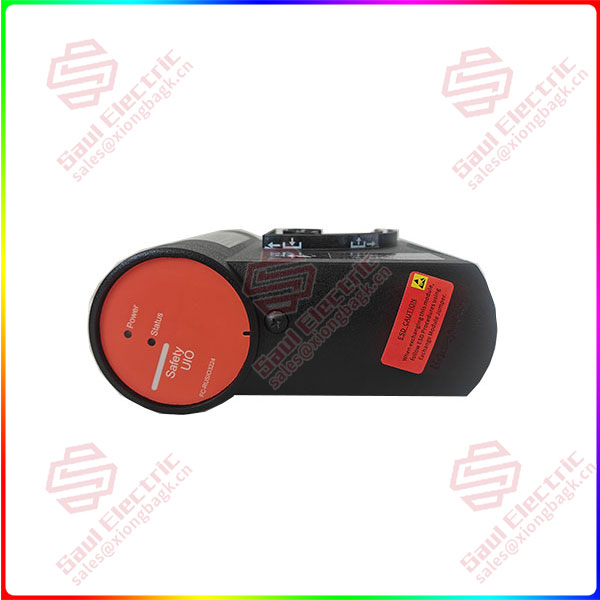
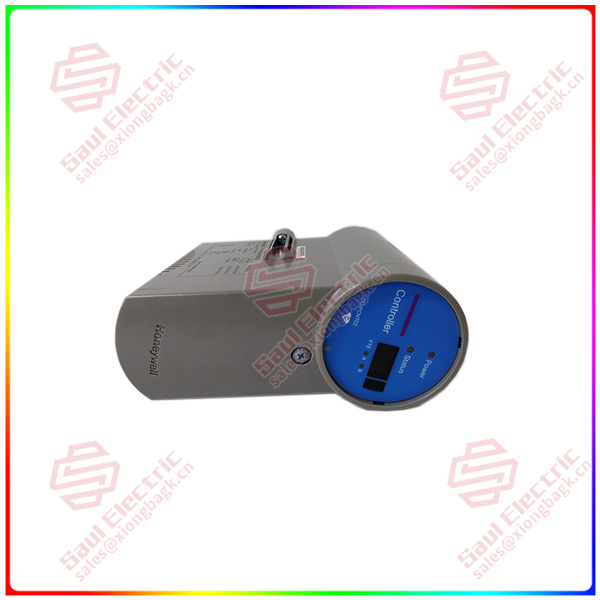
HONEYWELL FC-RUSIO-3224 — Remote Universal I/O Module
Product: FC-RUSIO-3224, Remote I/O Expansion Module
Manufacturer: Honeywell International Inc.
Product Line: Excel 5000 / WEBs Building Management System (BMS)
Primary Application: A remote, expandable I/O module designed to extend the input/output capacity of Honeywell field controllers (particularly the Excel 5000 series) for building automation systems. It provides additional flexible I/O points for monitoring and controlling HVAC, lighting, and other building equipment via a remote communication link.
1. Core Overview & Positioning
The Honeywell FC-RUSIO-3224 is a remote I/O expansion unit designed to work in conjunction with a primary Honeywell field controller (like the FC-TSKUNI or other Excel 5000 controllers). The «RUSIO» acronym stands for Remote Universal Serial Input/Output. It allows a primary controller to manage I/O points located at a remote location (e.g., a different floor, a separate equipment room, or a distant piece of equipment) without needing to run long, expensive wiring back to the main controller panel.
Key Philosophy: It decentralizes the I/O structure, reducing field wiring costs and complexity by placing I/O points close to the sensors and actuators they serve, while maintaining centralized logic processing in the main controller.
2. Key Features & Functions
-
Remote I/O Expansion: Acts as a satellite I/O unit, connecting to a master controller via a serial communication bus (C-Bus, RS-485). It adds 24 flexible, configurable I/O points to the system.
-
Universal, Configurable I/O Channels: Like the main controllers, its I/O points are software-configurable. Each of the 24 points can be individually programmed in the engineering software to function as:
-
Analog Input (AI): 0-10V DC, 0-20mA, 4-20mA, RTD (Pt100, Pt1000, Ni1000), or potentiometer (0-1000Ω) input.
-
Digital Input (DI): Dry contact (volt-free) status input.
-
Analog Output (AO): 0-10V DC or 0-20mA output.
-
Digital Output (DO): Triac (for 24V AC loads) or relay output (for dry contact).
-
-
No Independent Processing: Unlike a field controller (FC-TSKUNI), the RUSIO module does not execute control logic. It is a «dumb» I/O device. All I/O data is read from and written to by the master controller over the communication link. The master controller houses the control program.
-
LED Status Indicators: Provides visual status for power, communication health, and I/O point activity.
-
Compact, DIN-Rail Mountable: Designed for easy installation in electrical enclosures near the field devices.
3. Model Number Breakdown & Specifications
Typical Technical Specifications:
-
I/O Capacity: 24 universal, software-configurable points. The exact mix is defined in software (e.g., could be 16 AI, 8 DO, or any combination).
-
Communication Interface: Connects to the master controller via a serial bus:
-
C-Bus (Controller Bus): Honeywell’s high-speed, deterministic peer-to-peer network (up to 115.2 kbps). The primary network for Excel 5000 systems.
-
RS-485: Often supports standard serial protocols (like Modbus RTU) for integration with third-party systems or as an alternative link.
-
-
Power Supply: Typically 24V AC or 24V DC (standard for building automation).
-
Operating Temperature: 0°C to 50°C (32°F to 122°F).
-
Mounting: Standard DIN-rail (TS35).
-
Isolation: Channel-to-channel and channel-to-bus isolation for noise immunity.
4. System Integration & Architecture
-
Master-Slave Architecture: The FC-RUSIO-3224 is a slave device on the C-Bus network. A master controller (e.g., an FC-TSKUNI-1624, FC-SMA, or FC-SD) polls it for input data and sends it output commands.
-
Wiring: Field devices (sensors, actuators) are wired directly to the terminal blocks of the RUSIO module, which is installed locally near them. Only a single communication cable (and power) needs to run back to the main controller panel.
-
Engineering Configuration: Configured within the same engineering software as the master controller (Honeywell CARE or Niagara Workbench). The steps are:
-
Add the RUSIO module to the hardware configuration of the master controller’s station.
-
Assign it a unique C-Bus address (set via DIP switches on the module).
-
Configure each of the 24 points as AI, DI, AO, or DO, and define scaling, normal states, etc.
-
The master controller’s application program then references these remote I/O points as if they were local.
-
-
5. Typical Applications
-
Distributed Equipment Monitoring: Placing I/O near rooftop units (RTUs), fan coil units (FCUs), or heat pumps spread across a building to minimize conduit runs.
-
Large Mechanical Rooms: Expanding I/O capacity for complex air handling units (AHUs) or chiller plants where the number of points exceeds the local controller’s capacity.
-
Lighting Control Panels: Serving as the I/O interface for a bank of lighting relays and occupancy sensors in a remote electrical closet.
-
Integration of Third-Party Equipment: Using the analog and digital I/O to interface with equipment that has only basic control terminals (e.g., a packaged chiller with alarm contacts and a start/stop terminal).
Reviews
There are no reviews yet.